
Securing your home or business is a critical responsibility, and choosing the right security system is only the first step. Proper installation is equally important to ensure that your system functions effectively and provides the protection you need. Security Systems today are more accessible than ever, with DIY options, mobile app integration, and wireless technologies allowing everyday users to set up robust protection without professional assistance. However, understanding best practices, system components, and installation techniques is essential to maximize the effectiveness of your security solution.
Security systems installation involves more than just placing sensors and cameras. It requires planning, evaluation of property vulnerabilities, and careful configuration to prevent gaps in coverage. A poorly installed system can result in missed alerts, false alarms, or vulnerabilities that compromise safety. This guide is designed to help everyday users navigate the installation process, from preparation to testing, providing step-by-step instructions and expert tips to ensure that your security system operates at peak performance.
Preparing for Installation
Assessing Your Security Needs
Before beginning installation, evaluate your property to determine what type of system is most appropriate. Consider factors such as property size, number of entry points, outdoor spaces, and specific security concerns.
Start by mapping out areas that require monitoring, including doors, windows, hallways, garages, and common outdoor zones. Identify potential blind spots that could leave your property vulnerable. By assessing your security needs first, you can select the right components and plan their optimal placement during installation.
Choosing the Right System
Security systems vary widely in features, complexity, and installation requirements. Options range from basic alarm systems to advanced setups with cameras, AI detection, and smart home integration.
When selecting a system, consider the following:
- Type of monitoring: Self-monitored or professionally monitored.
- Connectivity: Wi-Fi, cellular, or hybrid systems.
- Device compatibility: Smart home integration and mobile app functionality.
- Expandable features: Ability to add sensors, cameras, and automation later.
Selecting a system that aligns with your security needs and technical comfort level will make installation smoother and improve overall performance.
Preparing Your Tools and Space
A successful installation requires proper tools and workspace. For most DIY security systems, common tools include:
- Screwdrivers and drill for mounting sensors and cameras
- Measuring tape for precise placement
- Level to ensure proper alignment
- Wire strippers and connectors for wired setups
- Ladder for installing outdoor cameras and sensors
Organize your devices, cables, and mounting hardware to avoid delays during installation. Ensure that the system components are fully charged or connected to power sources before beginning.
Installing Security System Components
Mounting Sensors
Door, window, and motion sensors are critical components that detect unauthorized entry or movement. Proper placement ensures accurate detection while minimizing false alarms.
Door and Window Sensors
- Place sensors at the top or side of doors and windows where movement is most likely to occur.
- Ensure that the sensor and magnet align precisely when the door or window is closed.
- Avoid placing sensors near areas prone to vibration or interference, which could trigger false alarms.
Motion Sensors
- Install motion detectors in high-traffic areas such as hallways, entry points, or large living spaces.
- Avoid pointing sensors directly at windows, heating vents, or areas with frequent pet activity unless the system supports pet immunity.
- Adjust sensitivity settings according to the space to reduce false alerts.
Installing Cameras
Cameras provide visual monitoring, allowing you to see who is entering or exiting your property and verify alerts. Placement is key to maximizing coverage and minimizing blind spots.
Indoor Cameras
- Position indoor cameras at entry points, hallways, and common areas.
- Place cameras at a height that captures faces clearly while maintaining privacy for family members.
- Consider adjustable mounts to allow for flexibility in coverage.
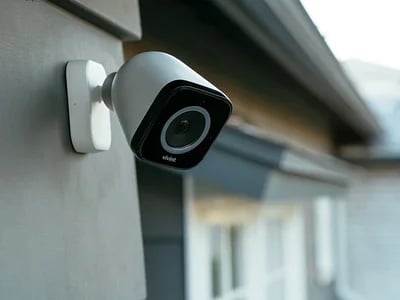
Outdoor Cameras
- Install outdoor cameras at doorways, garages, driveways, and other areas that require monitoring.
- Ensure cameras are weatherproof and protected from direct sunlight or rain exposure.
- Angle cameras to capture wide fields of view while minimizing obstructions such as trees or fences.
Doorbell Cameras
- Place doorbell cameras near entrances to monitor visitors and deliveries.
- Ensure the camera is installed at eye level for optimal facial recognition.
- Connect to the mobile app for live notifications and remote monitoring.
Connecting the Control Panel
The control panel serves as the central hub for your security system, linking sensors, cameras, and alarms.
- Position the control panel in a central location that is easily accessible but not visible from outside the home.
- Connect the panel to a power source and internet or cellular network for reliable communication.
- Follow manufacturer instructions to pair sensors, cameras, and alarms with the control panel.
- Configure access codes, user profiles, and alert preferences for household members.
Setting Up Alarms and Sirens
Alarms provide audible warnings to alert occupants and deter intruders.
- Place indoor sirens in central areas to maximize sound coverage.
- Outdoor sirens should be mounted near entrances but out of reach to prevent tampering.
- Test alarm volume and duration to ensure they are effective without being disruptive.
Configuring Smart Features and Mobile Apps
Many modern security systems include smart alerts, remote access, and automation features. Proper configuration ensures these capabilities function correctly.
- Download the manufacturer’s mobile app and link it to your system.
- Customize notifications for different sensors, cameras, and alert types.
- Set up routines and automation, such as activating lights or locking doors when the system is armed.
- Enable remote access and two-factor authentication for enhanced security.
Testing Your Security System
Initial System Testing
Once installation is complete, conduct comprehensive testing to verify proper functionality.
- Test each sensor by opening doors and windows or triggering motion detectors.
- Activate alarms and sirens to ensure they sound correctly and alerts are received on mobile devices.
- Review camera feeds and confirm clear video quality, proper angles, and night vision functionality.
Adjusting Settings and Coverage
- Reposition sensors and cameras if necessary to eliminate blind spots or reduce false alarms.
- Adjust motion sensitivity and notification preferences based on household activity patterns.
- Test mobile alerts from different locations to ensure reliable remote access.
Conducting Periodic Maintenance
Regular maintenance helps ensure long-term reliability.
- Check battery levels and replace as needed.
- Clean camera lenses and sensors to maintain clear visuals and accurate detection.
- Update system firmware and mobile apps to ensure access to the latest features and security patches.
Troubleshooting Common Installation Issues
False Alarms
False alarms are often caused by incorrect sensor placement, sensitivity settings, or interference. Adjust sensor positions, recalibrate sensitivity, or review pet immunity settings to reduce false triggers.
Connectivity Problems
Wi-Fi or cellular connectivity issues can prevent alerts and remote access from functioning properly. Ensure strong network coverage, check router settings, and consider signal boosters for larger properties.
Camera Performance
Blurry or obstructed video may result from poor placement, low light, or dirty lenses. Adjust angles, improve lighting, and clean lenses regularly to maintain video clarity.
Mobile App Notifications
If mobile notifications are delayed or missing, verify that push notifications are enabled, the app is updated, and the device is connected to a reliable network. Re-link the app to the control panel if necessary.
Tips for a Successful DIY Installation
Plan Before You Install
Take time to map out sensor and camera locations, cable routing (if applicable), and control panel placement. Planning reduces errors and ensures comprehensive coverage.
Follow Manufacturer Guidelines
Carefully follow the manufacturer’s instructions for installation, pairing devices, and configuration. Each system has unique requirements that affect performance and reliability.
Test and Iterate
Don’t assume the first setup is perfect. Conduct thorough testing and make adjustments to sensor placement, camera angles, and alert settings as needed.
Secure Sensitive Components
Ensure control panels, outdoor cameras, and sirens are protected from tampering or unauthorized access. Proper placement enhances system integrity and reliability.
Conclusion
Installing a security system is a crucial step in protecting your home, family, and property. With proper planning, attention to detail, and understanding of system components, everyday users can set up robust protection that rivals professionally installed systems. From mounting sensors and cameras to configuring smart features, testing functionality, and performing regular maintenance, each step contributes to a secure and reliable environment.
A well-installed security system provides peace of mind, deters intruders, and enables rapid response to potential threats. By following best practices and leveraging modern technology, homeowners and business operators can ensure their security systems operate effectively, providing comprehensive safety for years to come. Head back to the main site to explore insights tailored to your needs.
FAQs
Can I install a security system myself without professional help?
Yes, many modern security systems are designed for DIY installation. Wireless components, clear instructions, and mobile app integration make it accessible for everyday users. Proper planning and testing are essential for optimal performance.
How do I ensure sensors and cameras are placed correctly?
Evaluate entry points, high-traffic areas, and potential blind spots. Door and window sensors should align precisely, motion sensors should avoid pets and vents, and cameras should provide clear, unobstructed views of monitored areas.
What should I do if my security system isn’t working properly after installation?
Check battery levels, connectivity, and sensor alignment. Revisit manufacturer instructions for troubleshooting tips, adjust settings, and conduct system tests. If issues persist, contact customer support for guidance and assistance.