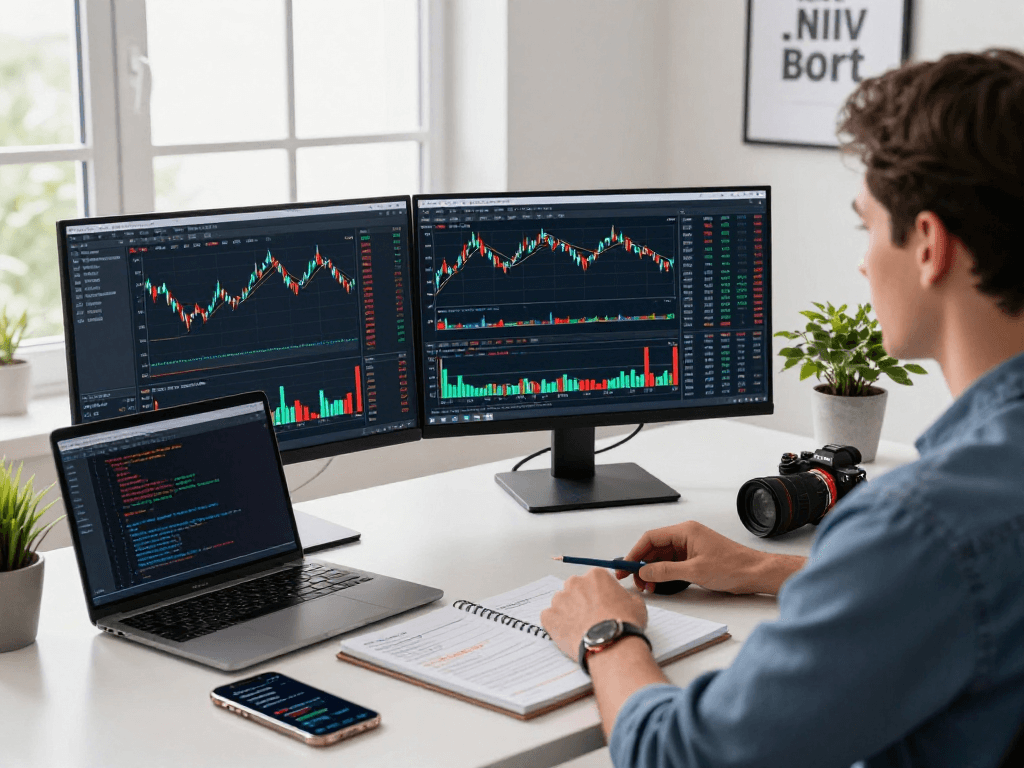
Introduction to TradingView's Capabilities
In the fast-paced world of trading, whether it involves stocks, forex, cryptocurrency, or derivatives, having the right tools is crucial for success. TradingView is a comprehensive platform that provides traders with powerful capabilities to analyze market trends, develop strategies, and execute trades from a unified interface. This article will explore how TradingView simplifies complex market situations into actionable research processes, allowing users to navigate from analysis to execution seamlessly. With an emphasis on research methodologies and strategic trading practices, we’ll delve into the numerous features that make TradingView an indispensable tool for traders of all levels.
What Is TradingView and Its Benefits?
TradingView is an advanced charting platform and social network for traders and investors worldwide. It offers a powerful suite of tools designed to facilitate market analysis and strategy development. With features like customizable charts, multiple layout options, and a robust library of technical indicators, users can conduct extensive market research without the need for multiple disparate tools. Moreover, TradingView enhances collaboration, enabling users to share insights and trading strategies through its community features.
The benefits of using TradingView include:
- Unified Interface: One platform for all trading assets, making it easier to switch between stocks, currencies, and cryptocurrencies.
- Real-Time Market Data: Access to up-to-the-minute market data 24/7 enhances decision-making capabilities.
- Custom Alerts: Set personalized alerts for price movements or indicator thresholds, reducing the need for constant market monitoring.
- Community Insights: Engage with a global community of traders, benefiting from shared analyses and strategies.
Key Features of TradingView for Traders
One of the standout features of TradingView is its versatility, catering to both beginner and expert traders. Here are some key features that enhance user experience:
- Charting Tools: Enhanced charting capabilities with a variety of indicators, drawing tools, and chart types.
- Backtesting: Use the Strategy Tester to validate trading ideas and refine strategies before moving to real-time trading.
- Pine Script: A unique coding language allowing custom indicators and strategies to be developed and shared.
- Mobile and Desktop Compatibility: Access TradingView on multiple devices without compromising functionality.
Understanding the User Interface and Navigation
Getting familiar with the TradingView interface is crucial for maximizing its potential. The platform features a clean layout that is easy to navigate:
- Chart Area: The central hub where you can view and analyze market data.
- Watchlist: A customizable list of stocks, currencies, or crypto assets you wish to monitor.
- Tools Panel: A collection of drawing tools and indicators that can be easily accessed and utilized.
- Community Section: Access ideas, scripts, and analyses shared by fellow traders.
Setting Up Your TradingView Account
Creating an Account: Step-by-Step Guide
Creating a TradingView account is a straightforward process that opens the door to a wealth of trading resources. Here’s a quick guide:
- Visit the TradingView website and click on the "Sign Up" button.
- Choose to register via email or through social media accounts.
- Fill in the required information and confirm your email to activate your account.
- Once registered, log in and explore the platform’s features.
Customizing Your Dashboard for Optimal Use
After setting up your account, customizing your dashboard can significantly enhance your trading experience. Consider the following steps:
- Arrange Your Layout: Choose between various layouts to suit your trading style, whether you prefer a single chart or multiple charts for different assets.
- Add Widgets: Include widgets for news, market data, or specific indicators relevant to your strategy.
- Save Your Workspace: Ensure that you save your customized settings so that you can easily restore them during future sessions.
Integrating with Other Trading Tools and Platforms
TradingView provides integration capabilities with various trading platforms and brokerages. By connecting your TradingView account with your brokerage, you can execute trades directly from the chart, streamlining your trading flow. This integration allows traders to:
- Place orders directly from charts without switching applications.
- Access real-time account data and trading history.
- Utilize TradingView's analytical tools while managing real trades effortlessly.
Utilizing TradingView for Market Research
How to Conduct Research Using TradingView Tools
Effective research is key to making informed trading decisions. TradingView offers a suite of tools that can help traders analyze market trends:
- Heat Maps: Visualize data trends at a glance, identifying which sectors or assets are performing well.
- Stock Screeners: Use filters to find stocks based on various fundamental and technical criteria, saving time on analysis.
- Community Ideas: Gain insights from the TradingView community, with shared ideas that can spark strategic thinking.
Analyzing Charts and Indicators Effectively
Mastering chart analysis is crucial for traders. Here are some tips for utilizing TradingView's charting capabilities:
- Select the Right Timeframe: Choose timeframes that align with your trading strategy, whether day trading or long-term investing.
- Overlay Indicators: Implement a combination of indicators to generate more accurate signals, such as moving averages and RSI.
- Use Trend Lines: Draw trend lines to visualize support and resistance levels, aiding in decision-making processes.
Creating Custom Screens and Alerts for Follow-up
To streamline your trading process, setting up custom screens and alerts can be invaluable. Here’s how you can do it:
- Use the Screener tool to filter stocks based on your preferred indicators.
- Create custom alerts for price movements or when your defined technical indicators signal entry or exit points.
- Receive notifications via email or mobile app whenever your criteria are met, helping you stay on top of market changes.
Automating Your Trading with Pine Script
Introduction to Pine Script: Basics and Setup
Pine Script is TradingView's built-in scripting language, empowering traders to create custom indicators and strategies. To get started:
- Access the Pine Script Editor: Locate the editor within TradingView to write and test your scripts.
- Study Syntax: Familiarize yourself with the basic syntax of Pine Script to start coding your indicators.
- Utilize Templates: Take advantage of existing scripts and modify them to suit your trading style.
Building Your First Trading Strategy in Pine Script
Creating your first trading strategy with Pine Script is an exciting venture. Here’s a simple approach:
- Define your strategy conditions, such as entry and exit criteria based on technical indicators.
- Write the logic using Pine Script, ensuring to include risk management parameters.
- Save and test your strategy using the Strategy Tester to evaluate its performance.
Testing and Refining Your Strategies with Strategy Tester
The Strategy Tester is a powerful tool within TradingView that allows traders to backtest their strategies:
- Run Historical Tests: Assess your strategy’s performance using historical data to understand potential profitability and risks.
- Examine Metrics: Review key performance indicators such as win rate, drawdown, and profit factor to evaluate your strategy's effectiveness.
- Iterate and Improve: Use insights gained from testing to refine your strategy continually, adapting to market changes.
Future Trends and Trading Insights for 2026
Emerging Trading Technologies and Innovations
As we move towards 2026, the trading landscape continues to evolve with technological advancements. Here are a few trends to watch:
- Artificial Intelligence: Increasing integration of AI in trading platforms for predictive analytics and automated trading.
- Blockchain Technology: Growing influence of blockchain on transparency and transaction speed in trading.
- Increased Regulation: Anticipated enhancements in regulatory frameworks will impact trading strategies and platform functionalities.
How to Stay Ahead of Market Trends with TradingView
To remain competitive, traders must leverage TradingView to stay informed:
- Follow Market News: Utilize the news feature on TradingView to keep abreast of economic events affecting markets.
- Join Community Discussions: Engage with the TradingView community to gain fresh insights and diverse trading approaches.
- Adapt to Changes: Be proactive in adjusting your strategies based on market trends and rate shifts.
Expert Tips for Continued Learning and Adaptation
Continual learning is essential for traders striving for success. Here are a few expert tips:
- Regularly Review Strategies: Set aside time to review and refresh trading strategies based on performance data.
- Participate in Webinars: Attend educational webinars hosted by TradingView or industry experts to refine your skills.
- Follow Thought Leaders: Keep an eye on influential traders within the TradingView community for valuable insights.
What Are the Benefits of Using TradingView in 2026?
As we approach 2026, the advantages of using TradingView will continue to grow, including:
- Enhanced Collaboration: Opportunities for collaboration and engagement with fellow traders will lead to improved trading strategies.
- Greater Accessibility: The platform will continue to expand its features, improving accessibility and usability for all traders.
- Future-Ready Tools: Ongoing updates and innovations will ensure that TradingView remains at the cutting edge of trading technology.